inova77 Mobile App
Our inova77 platform is designed for mobile-first access, so you can manage your account, deposit via DANA, e-wallet, mobile banking, local payment, online payment, e-wallet, or bank transfer, and access live-dealer tables and sports betting from your phone. Whether you install our Android app or use our web interface on iOS, setup takes just a few minutes.

- and
- LoginOTP Verification
- SHA256 Match
Mobile access lets you check your account balance, review your betting history, and withdraw funds to your preferred payment method anytime, anywhere. Our inova77 app is optimized for connectivity on standard mobile networks, so you can participate in Liga 1, Piala Indonesia, and live-dealer games (blackjack, roulette, Dragon Tiger) even on slower connections. The app also supports push notifications so you do not miss live events or account updates.
This guide walks you through downloading and installing our inova77 app on Android, accessing inova77 on iOS via browser, and troubleshooting common installation issues. We also explain what data we collect, how we protect your privacy, and how your account security works across devices.
Download and Install inova77
Our inova77 app is available as an Android APK. If you use an iOS device, you can access inova77 through your mobile browser (Safari or Chrome) at our web address — no separate app installation is needed. Both paths let you create an account, deposit, and trade games identically.
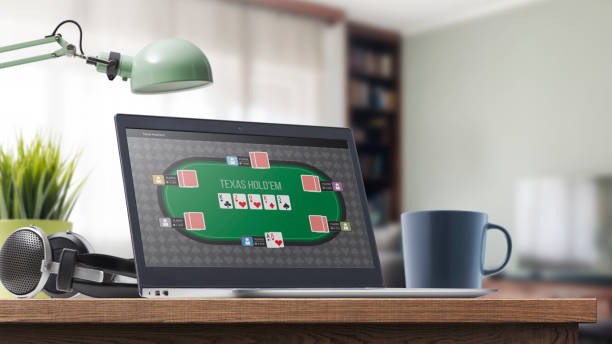
Installation Steps on Android
- Visit our download page and tap the Android APK download link.
- Your phone may warn that you are downloading from an unknown source — this is normal for APK files outside the Google Play Store. Go to Settings > Security > Unknown Sources and enable it.
- Once the APK file downloads, open it and tap Install.
- After installation, open the inova77 app, create your account (or log in if you already have one), and proceed to deposit.
Access on iOS
If you use an iPhone or iPad, open Safari (or Chrome), navigate to inova77.app, and log in or create an account. Our responsive design adapts to your iPhone screen size, and you can save inova77 to your home screen as a web shortcut for quick access. We do not require a separate iOS app installation; the browser experience is fully functional for all account and betting features.
App vs. Browser on inova77
Our native Android app stores some game data locally, so the app starts faster and uses less data during live-dealer play. The app also sends push notifications for account alerts and major events (e.g., when a live Piala Indonesia match is beginning or when your withdrawal is processed). On iOS and desktop, our browser version provides identical features but without offline caching or native notifications. Both paths support all payment methods — DANA, e-wallet, mobile banking, local payment, online payment, e-wallet, mobile banking, local payment, online payment, e-wallet — and let you withdraw your balance anytime. Choose whichever suits your device and connectivity.
Device Compatibility
Our inova77 Android app requires Android 7.0 or later. If your device runs an older version, we recommend using our web browser instead. On iOS, you need iOS 12.0 or later to access inova77.app through Safari. Our web interface also works on older devices and tablets, though performance may vary. If you experience issues on your specific device, contact our support team for guidance.

Troubleshooting Common Installation Issues
If you download the inova77 Android APK and receive a warning about "Unknown Sources," your phone is blocking installation from files outside the Google Play Store. This is a standard Android security feature. To proceed, go to Settings > Apps & notifications > Special app access > Install unknown apps, find your browser (or Files app), and toggle the permission on. Then retry the APK installation. On rare occasions, your antivirus app may flag the APK as suspicious — this is a false alarm common to APK files. You can temporarily disable antivirus scanning or add our app to its whitelist. If you cannot install the APK after these steps, use our browser version instead at inova77.app. Our iOS users can simply open Safari and navigate to our website without any installation complications.
inova77 App Installation Summary
- Android users: download the APK, enable Unknown Sources in Settings, and install the app.
- iOS users: open Safari and navigate to inova77.app — no separate app download needed.
- Android app offers faster startup and offline caching; browser is identical on features.
- Both paths support e-wallet, mobile banking, local payment, online payment, e-wallet, mobile banking, and bank transfers.
- Minimum requirements: Android 7.0+, iOS 12.0+.
Data, Permissions, and Account Security on inova77
When you install our inova77 app or access our website, we request permissions to store app data on your device and, on Android, to send push notifications. We do not access your contacts, photos, or location without your explicit permission, and we do not share this data with third parties. Your account credentials (username and password) are encrypted before transmission to our servers. We use industry-standard SSL encryption to protect your connection during login and payment. When you deposit via local payment, online payment, e-wallet, mobile banking, local payment, online payment, or your e-wallet, mobile banking, local payment, online payment account, your financial data is sent directly to the payment provider — we do not store your card or bank details on our servers. Your betting history and account balance are visible only to you and accessible only after you log in with your correct credentials. If you lose your device, your inova77 account remains secure because a thief cannot log in without your password. You can also change your password or enable two-factor authentication in your account settings to add an extra layer of protection.
Get Started on inova77
To begin, download or access our inova77 app using the links above. Create an account by providing your email, username, and phone number. We will send a verification code to your email — enter it to activate your account. Then choose your deposit method (e-wallet, mobile banking, local payment, online payment, e-wallet, mobile banking, or bank transfer), fund your account, and start exploring our live-dealer games (blackjack, roulette, Dragon Tiger), slots (Aviator, Sweet Bonanza, Gates of Olympus, Fortune Tiger, Mahjong Ways), and sports betting on Liga 1, Piala Indonesia, Champions League, and esports tournaments including Mobile Legends and Free Fire. Your account balance and all transactions are tracked in real-time on your Betting History page, and you can withdraw your balance to your source payment method at any time.